
PowerDesigner 連線MySQL資料庫詳細步驟
需要的mysql odbc 連線軟體:
mysql-connector-odbc-5.3.6-win32.msi;
mysql-connector-odbc-5.3.6-winx64.msi;
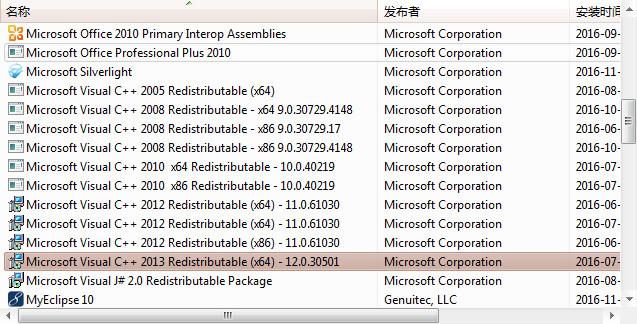
在剛開始使用PowerDesigner 16連線MySQL資料庫的時候。經常會報一些錯誤,因為時間太久了,當時也忘了截圖,具體的錯誤忘記了,當初不知道怎麼解決,最後才發現是少安裝了幾個軟體,如果你也遇到了同樣的問題,可以先去自己的電腦裡面看看,是否少了以下截圖中的某個軟體,我這個人比較懶,按了好幾個重複的軟體也不打算解除安裝;
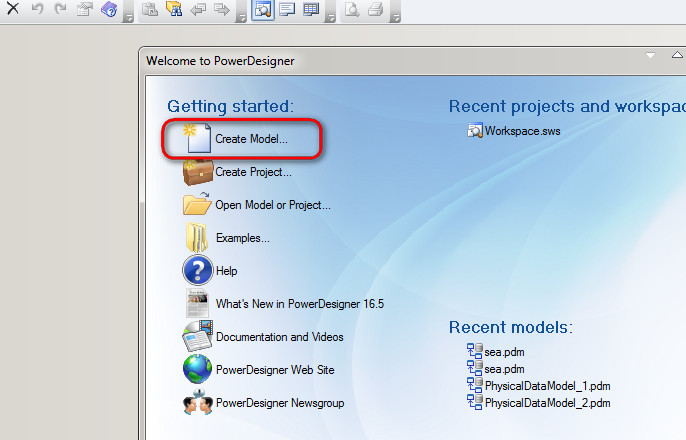
第一步:開啟PD軟體;
第二步:建立新的Model
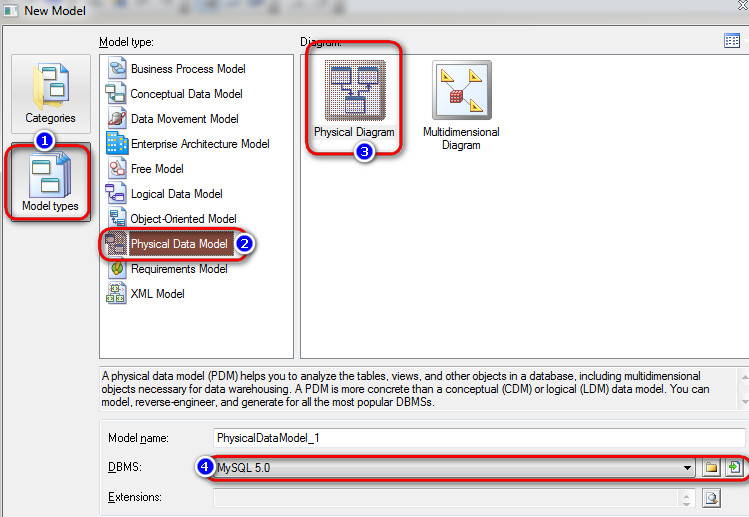
第三步:建立PDM檢視(選擇自己要連線的資料庫)
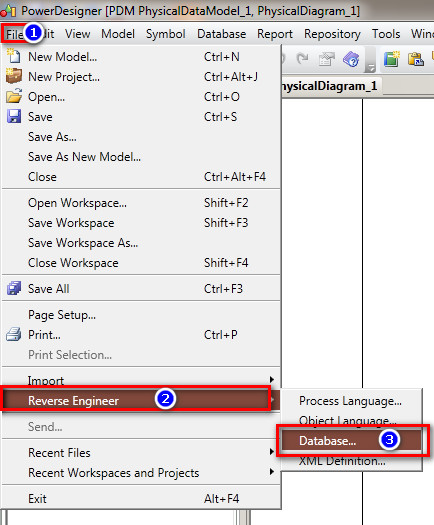
第四步:連線資料來源:
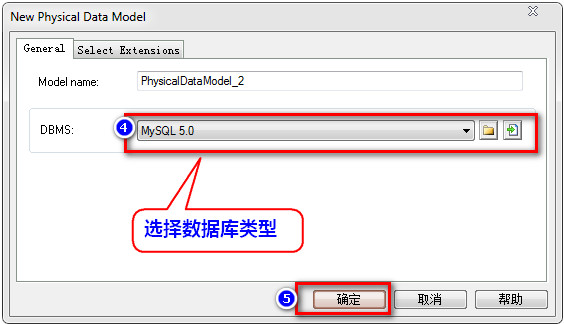

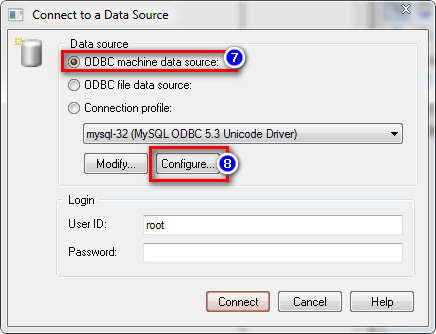
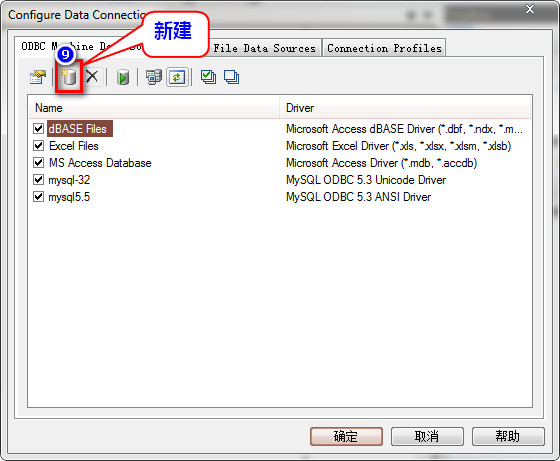
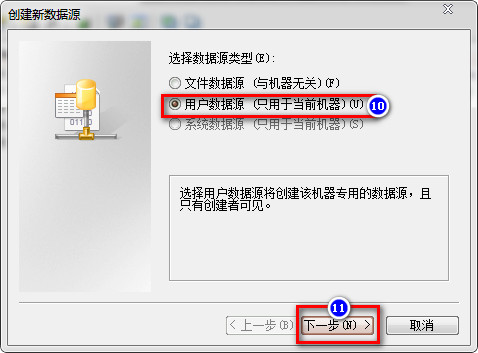
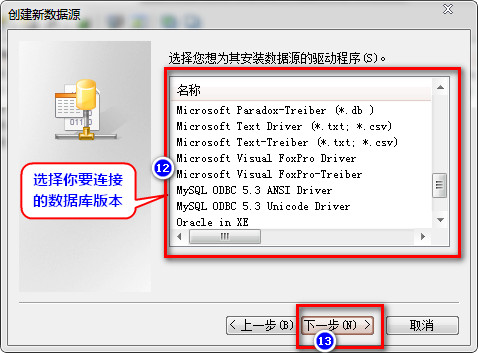
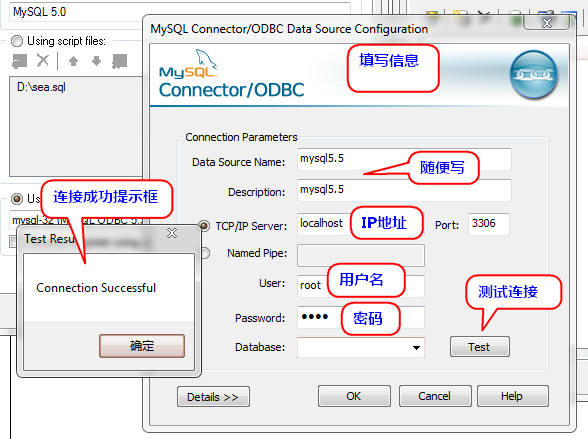
第五步:一路確定,並選擇你剛才所建立的資料來源
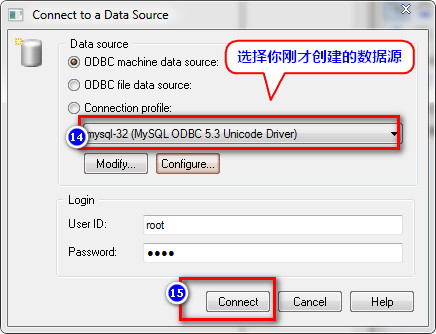
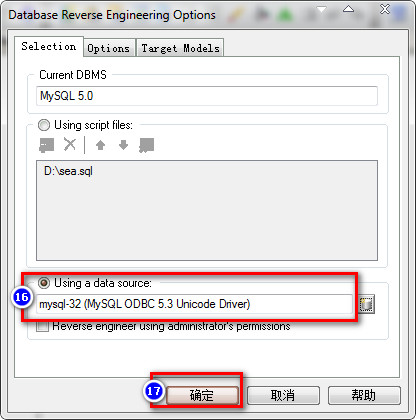
第六步:很重要:
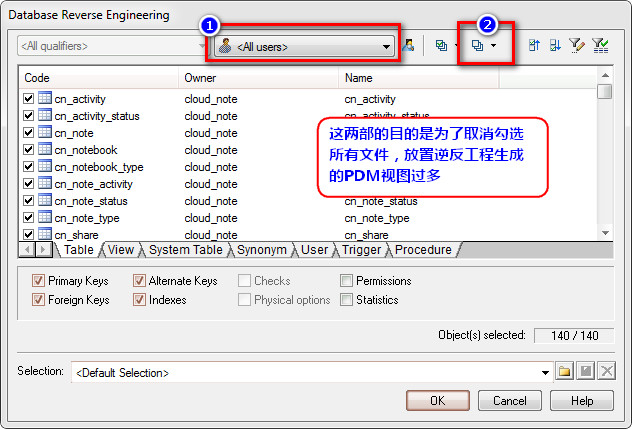
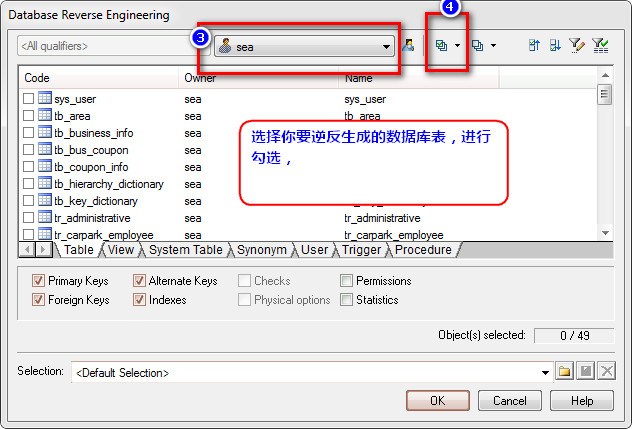
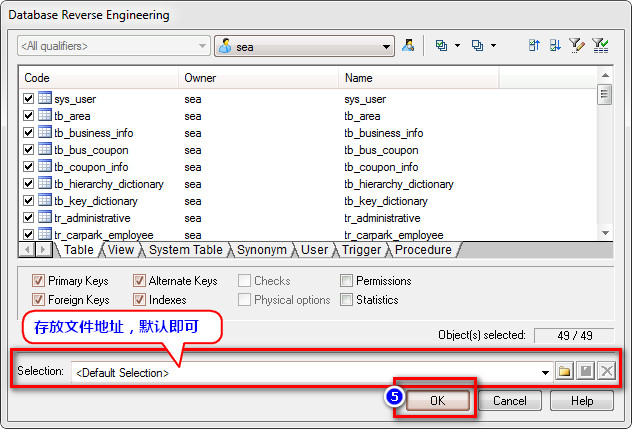
第七步:等待生成:
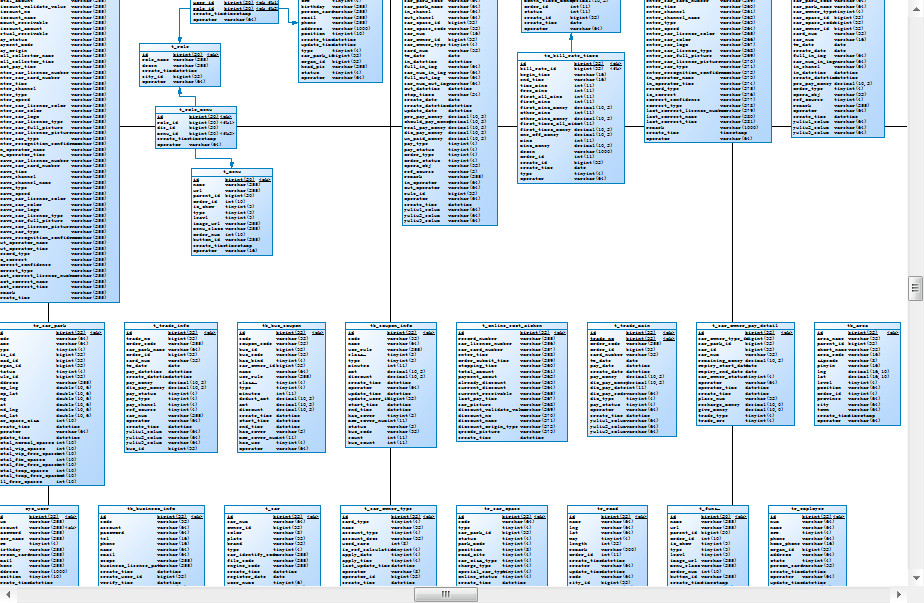
第八步:因為檔案中的name是英文,沒有引入註釋,再這裡我們需要進行一步操作,把name替換成中文註釋
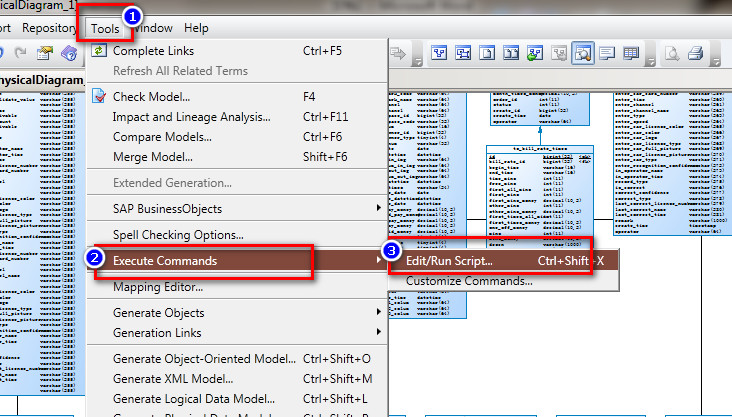

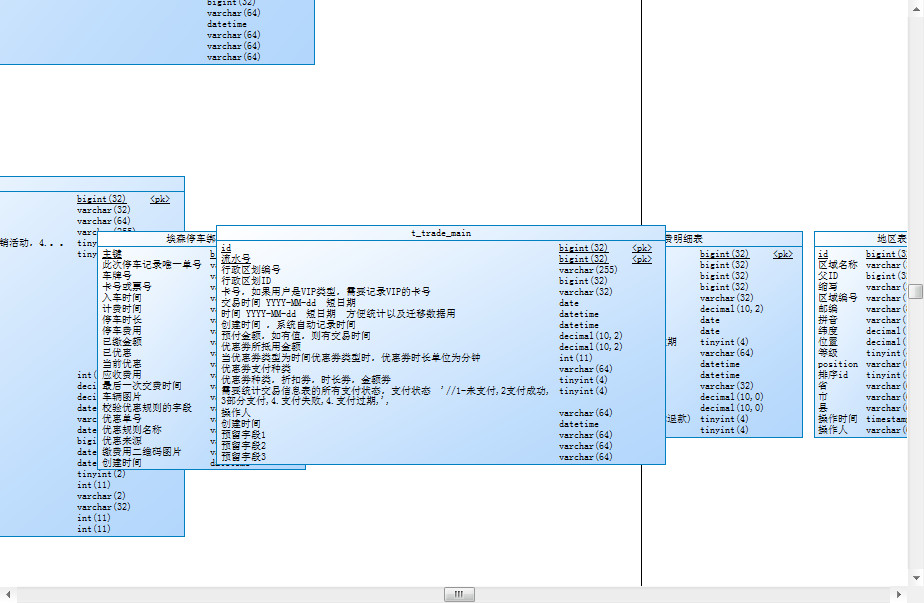
第九步:效果圖
備註:
將Comment中的字元COPY至Name中的程式碼:
Option Explicit
ValidationMode = True
InteractiveMode = im_Batch
Dim mdl ’ the current model
’ get the current active model
Set mdl = ActiveModel
If (mdl Is Nothing) Then
MsgBox “There is no current Model ”
ElseIf Not mdl.IsKindOf(PdPDM.cls_Model) Then
MsgBox “The current model is not an Physical Data model. ”
Else
ProcessFolder mdl
End If
Private sub ProcessFolder(folder)
On Error Resume Next
Dim Tab ‘running table
for each Tab in folder.tables
if not tab.isShortcut then
tab.name = tab.comment
Dim col ’ running column
for each col in tab.columns
if col.comment=”” then
else
col.name= col.comment
end if
next
end if
next
-
Dim view 'running view -
for each view in folder.Views -
if not view.isShortcut then -
view.name = view.comment -
end if -
next -
' go into the sub-packages -
Dim f ' running folder -
For Each f In folder.Packages -
if not f.IsShortcut then -
ProcessFolder f -
end if -
Next
end sub
將Name中的字元COPY至Comment中
Option Explicit
ValidationMode = True
InteractiveMode = im_Batch
Dim mdl ’ the current model
’ get the current active model
Set mdl = ActiveModel
If (mdl Is Nothing) Then
MsgBox “There is no current Model ”
ElseIf Not mdl.IsKindOf(PdPDM.cls_Model) Then
MsgBox “The current model is not an Physical Data model. ”
Else
ProcessFolder mdl
End If
’ This routine copy name into comment for each table, each column and each view
’ of the current folder
Private sub ProcessFolder(folder)
Dim Tab ‘running table
for each Tab in folder.tables
if not tab.isShortcut then
tab.comment = tab.name
Dim col ’ running column
for each col in tab.columns
col.comment= col.name
next
end if
next
-
Dim view 'running view -
for each view in folder.Views -
if not view.isShortcut then -
view.comment = view.name -
end if -
next -
' go into the sub-packages -
Dim f ' running folder -
For Each f In folder.Packages -
if not f.IsShortcut then -
ProcessFolder f -
end if -
Next
- 1
- 2
- 3
- 4
- 5
- 6
- 7
- 8
- 9
- 10
- 11
- 12
- 13
- 14
- 15
end sub